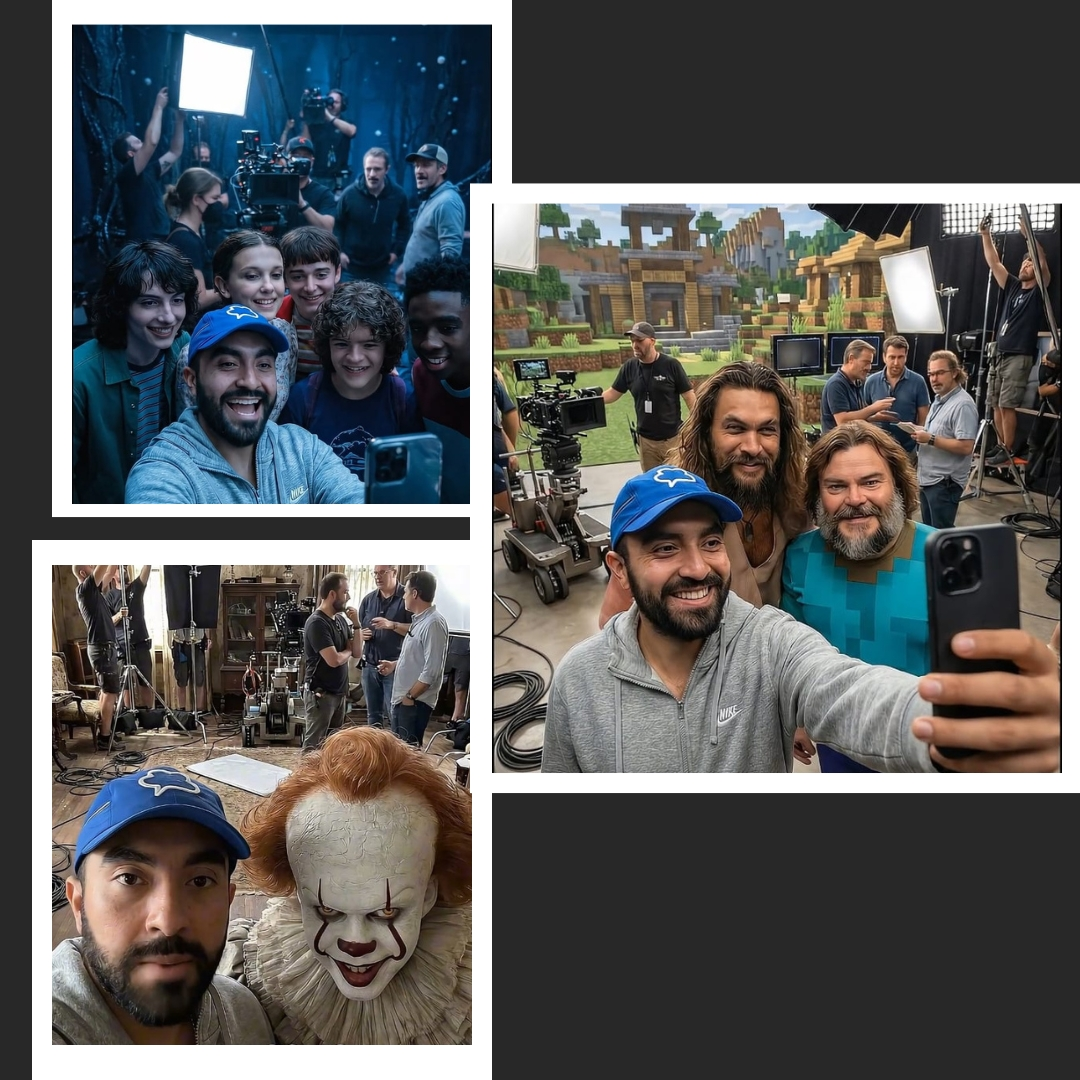
¿Quieres ver cómo te verías en una selfie en medio de una batalla épica o con tu personaje favorito? Este trend de IA es una locura y hoy te decimos cómo lograrlo.
Lo mejor es que este comando es universal; puedes usarlo en NanoBanana (el modelo de generación de imágenes de Gemini) o con tu IA favorita para meterte en cualquier escenario que imagines. No dejes que la tecnología te controle, toma tú el control y empieza a crear tus propias escenas de cine.
El Prompt Maestro para tus fotos
Copia y pega el siguiente comando para obtener resultados de ultra alta fidelidad (8K), manteniendo tus rasgos reales y un estilo cinematográfico de “detrás de cámaras”:
Prompt: Create a realistic, ultra high-fidelity (8K) image using the attached reference photo. Preserve the exact facial features, skin tone, bone structure, hairstyle, and natural expression of the person in the reference image. Do NOT alter the face, do NOT beautify, and do NOT perform face swapping.
The person is taking a casual selfie together with (minecraft movie cast), both looking at the camera.
Scene: (minecraft), realistic environment. Behind them, a professional film set is visible: crew members adjusting lights and equipment, cables on the floor, cameras, reflectors, and softboxes. Directors and managers are standing in the background discussing the next take. Lighting is natural and cinematic, realistic skin texture, sharp focus, DSLR-style depth of field, candid behind-the-scenes atmosphere.
Cómo hacerlo realidad?
Entra a nuestro blog: Ve por el prompt exacto y el tutorial completo.
Cópialo: Usa la base que te dejamos arriba y personaliza el personaje o película.
Crea: Sube tu foto de referencia y deja que la IA haga el resto.
¡Cuéntanos qué tal salió tu escena! Para más trucos tecnológicos, síguenos en Control+Tips de Chat2Desk.